
For most UK small and medium businesses, Microsoft Clarity is the right place to start. It is completely free, captures unlimited sessions and heatmaps, and takes under ten minutes to install via a WordPress plugin or Google Tag Manager. The one thing to sort before you go live: review Clarity's terms and Microsoft's privacy statement alongside your ICO obligations, because the terms permit Microsoft to use aggregated session data in ways that need a clear-eyed DPA review. If you need integrated surveys, long data retention, or you operate in a regulated sector, Hotjar is worth the subscription.
Table of Contents
- How do Hotjar, Microsoft Clarity and Lucky Orange compare?
- What do these tools actually do, and which features matter?
- How to run a 90-day pilot without overcommitting
- Trial periods and cancellation policies
- Can these tools track your mobile app?
- How do the reporting and visualisation tools compare?
- Which tool is easier to use day-to-day?
- Key takeaways
- The honest view on behaviour analytics for UK SMEs
- Jarvisandco can handle the setup, so you can focus on the results
- Useful sources and further reading
How do Hotjar, Microsoft Clarity and Lucky Orange compare?
| Dimension | Hotjar | Microsoft Clarity | Lucky Orange |
|---|---|---|---|
| Heatmaps | Click, move, scroll | Click, scroll, area | Click, scroll |
| Session recordings | Sampled (plan-dependent) | Unlimited | Plan-dependent |
| Funnels / conversion | Yes | Basic | Yes |
| Surveys & feedback | Yes (integrated) | No | Basic |
| Free tier | Limited free plan | Fully free, unlimited | — |
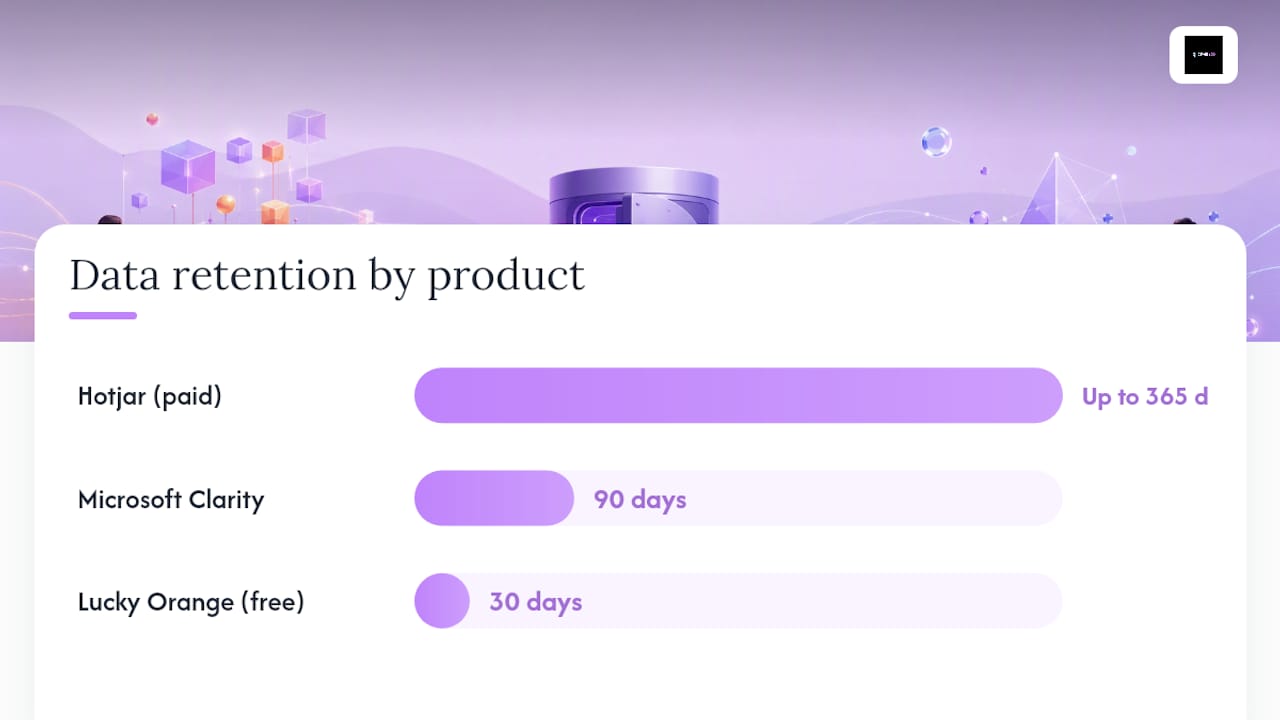
| Data retention | Up to 365 days (paid) | 90 days | 30 days (free) |
| GDPR / IP masking | Yes, consent mode | Yes, IP masking built-in | Yes |
| DPA available | Yes | Via Microsoft agreement | Yes |
| Integrations | GA4, Segment, Shopify | GA4, Clarity API | GA4, Shopify |
| Setup effort | Low | Very low | Low |
| Support | Email, docs, community | Docs, community only | Email, chat |
| Google reviews | G2 reviews | G2 reviews | — |
| Best for | UX/CRO teams needing qualitative data | High-traffic sites, budget-limited teams | Teams wanting replays plus live chat |
Note: Hotjar's packaging changed after its merger into Contentsquare, completed in July 2025. Heatmaps and surveys are now sold as separate product lines, so always verify current pricing directly before committing.
What do these tools actually do, and which features matter?
Heatmaps and session recordings
Clarity records every session at no cost. No sampling, no caps. For a busy e-commerce site receiving thousands of visits a day, that changes the maths entirely compared with a session-capped paid plan. Hotjar samples recordings on lower tiers, which means you may miss the exact session where a checkout bug appeared. Clarity also auto-tags frustration signals: rage clicks, dead clicks, quick backs, and error clicks. These four categories give you a fast triage layer without writing a single custom event.
Hotjar's heatmaps include move maps (where cursors hover), which Clarity does not offer. For content-heavy pages or long-form landing pages, move maps can reveal reading patterns that click maps miss entirely.
Funnels, surveys and feedback
This is where the tools diverge most sharply. Hotjar's integrated voice-of-customer tools let you attach a survey to a specific recording, ask visitors why they abandoned a form, and recruit participants for user interviews, all within one platform. Clarity has no native survey or feedback widget. You would need a separate tool (Typeform, Hotjar's standalone survey product, or similar) to answer the "why" behind what Clarity shows you.
Funnels exist in both, but Hotjar's are more configurable. Clarity's conversion analysis is useful for spotting drop-off points but offers less granularity for multi-step flows.
AI features and reporting
Clarity includes an AI Copilot that summarises session recordings in plain language, which is genuinely useful when you have hundreds of recordings and limited time. Hotjar has added AI features post-merger, though the specific scope of those tools is evolving. Check current documentation on learn.microsoft.com for Clarity's latest Copilot capabilities.
Feature trade-offs at a glance
- Clarity wins on: — volume (unlimited recordings), cost (free), frustration signals, GA4 integration, AI summaries.
- Hotjar wins on: — surveys and feedback, move maps, data retention (up to 365 days on paid plans), collaboration features, dedicated support.
- Lucky Orange adds: live chat alongside replays, useful for sales-led sites wanting real-time visitor engagement.
How to run a 90-day pilot without overcommitting
Quick-start checklist
Before you launch either tool, tick these off:
- Install via Google Tag Manager or the official WordPress plugin (both tools have one).
- Configure consent mode so the script fires only after cookie consent is granted.
- Enable IP masking and mask any form fields that capture personal data.
- Select three to five high-value pages (checkout, contact, key landing pages).
- Set up a filter to exclude your own team's traffic.
- Define one primary KPI: conversion rate on the target page, or rage-click rate on a specific element.
30/60/90 day plan
| Period | Objective | Key metric | Checkpoint |
|---|---|---|---|
| Days 1–30 | Install, consent, baseline data | Sessions recorded, rage-click rate | Confirm data is clean and GDPR-compliant |
| Days 30–60 | Identify friction points, form hypotheses | Drop-off rate on target pages | Share findings with stakeholder; agree one experiment |
| Days 60–90 | Run one A/B or UX change, measure impact | Conversion rate delta | Decide: expand, upgrade, or switch tool |
Questions to ask before expanding:
- Where is session data stored, and does that satisfy your ICO obligations?
- Is a Data Processing Agreement in place and signed?
- What is the vendor's support response time for paid plans?
- Does the tool's data retention window cover your reporting cycle?
Trial periods and cancellation policies
Clarity has no trial period because there is nothing to trial: the full product is free, with no credit card required. You can remove it by deleting the script tag.
Hotjar offers a limited free plan and paid plans with a free trial period. Paid plans are billed monthly or annually; annual billing is cheaper but locks you in. Cancellation is self-serve through the account dashboard, and Hotjar does not charge cancellation fees. Given the post-Contentsquare restructure; confirm current trial lengths and plan terms directly on Hotjar's site before signing up.
Lucky Orange offers a seven-day free trial on paid plans. Cancellation is month-to-month on monthly billing.
Can these tools track your mobile app?
All three tools are primarily designed for web tracking, not native mobile apps. Clarity does offer a mobile SDK for iOS and Android, which is a meaningful differentiator if your audience uses a hybrid or progressive web app. Hotjar's mobile tracking is limited to mobile browsers rather than native apps. Lucky Orange similarly focuses on web sessions.
If native app analytics is a priority, dedicated tools such as Mixpanel or Amplitude are better suited. For most UK SMEs running a website or Shopify store, web-based tracking from Clarity or Hotjar covers the vast majority of user journeys.
How do the reporting and visualisation tools compare?
Clarity's dashboard is clean and fast. The heatmap overlay loads quickly, and the AI Copilot summary sits alongside recordings so you can read a plain-English digest before watching a session. Benchmark reports let you compare your site's frustration metrics against industry averages, which is a useful context layer for SMEs without a dedicated analyst.
Hotjar's reporting is more granular. You can filter recordings by device, UTM source, user attribute, or custom event. Dashboards can be shared with team members, and annotations let you mark recordings for colleagues to review. For a UX or CRO team running structured research, that collaboration layer matters.
Lucky Orange sits between the two: dashboards are straightforward, and the live visitor map adds a real-time dimension that neither Clarity nor Hotjar matches.
Which tool is easier to use day-to-day?
Clarity is the simpler of the two. The interface is minimal, the setup is fast, and the frustration-signal tagging means you do not need to configure custom events to start finding problems. For a business owner checking in once a week, it asks very little of you.
Hotjar has more depth, which means more configuration. Surveys need to be built and triggered. Funnels need defining. That is not a criticism: the depth is the point. But it does mean a steeper initial investment of time. G2 users note that Hotjar's collaboration and support features are among its strongest points, while some flag that pricing complexity increased after the Contentsquare merger.
Key takeaways
Microsoft Clarity is the right first tool for most UK SMEs: free, unlimited, and GDPR-configurable, with Hotjar the better choice once you need surveys, long retention, or structured UX research.
| Point | Details |
|---|---|
| Start with Clarity | It is free, captures unlimited sessions, and installs in minutes via WordPress or GTM. |
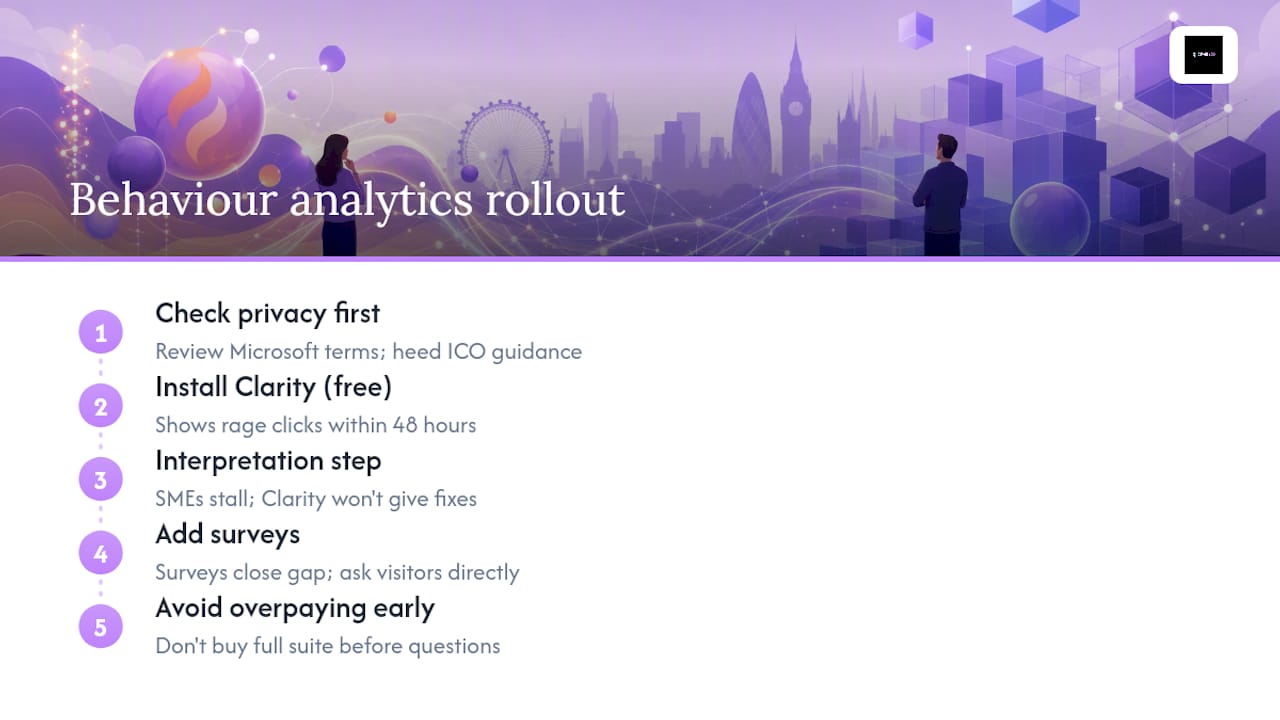
| Check the DPA first | Clarity's terms allow Microsoft to use aggregated data; review these against your ICO obligations before going live. |
| Upgrade to Hotjar for "why" | Hotjar's integrated surveys and feedback widgets are the fastest way to understand user intent, not just behaviour. |
| Verify Hotjar pricing | Post-Contentsquare merger, heatmaps and surveys are separate products; always confirm current plan costs directly. |
| Jarvisandco can implement both | Jarvisandco handles setup, consent configuration, and insight extraction for UK clients who want results without the configuration overhead. |
The honest view on behaviour analytics for UK SMEs
There is a tendency to treat "free" as a straightforward win. With Clarity, it mostly is. But the privacy trade-off deserves a clear look, not a dismissal. Microsoft's terms permit use of aggregated session data, and for businesses in regulated sectors (healthcare, finance, legal), that clause needs proper scrutiny before you install anything. The ICO's guidance on third-party scripts is unambiguous: you are responsible for what fires on your site.
The other thing people underestimate is the gap between having data and doing something with it. Clarity will show you rage clicks within 48 hours of installation. What it will not do is tell you whether the fix is a copy change, a layout change, or a broken form field. That interpretation step is where most SMEs stall. Hotjar's surveys close that gap faster than any heatmap can, because they let you ask the visitor directly.
My honest recommendation: start with Clarity, get comfortable with the data, then add a survey layer (Hotjar's voice-of-customer product or a lightweight alternative) once you know which pages are worth investigating. Doing it the other way round, paying for a full suite before you know your questions, is the most common and most expensive mistake in this category.
Jarvisandco can handle the setup, so you can focus on the results
Choosing between Clarity and Hotjar is the easy part. Configuring consent correctly, masking PII, building meaningful filters, and then actually acting on what the data shows: that is where most small teams run out of time.
Jarvisandco works with UK businesses to audit existing analytics setups, install and configure behaviour tracking tools in line with GDPR requirements, and translate session data into concrete website improvements. Whether you need a one-day audit, a four-week CRO pilot, or ongoing support interpreting results, we can scope it to fit your team and budget. We implement both Clarity and Hotjar, and we know which one suits which brief.
If your website is not converting the way it should, get in touch with Jarvisandco and we will help you work out what is getting in the way.
Useful sources and further reading
- clarity.microsoft.com
- privacy.microsoft.com
- clarity.microsoft.com
- learn.microsoft.com
- Hotjar vs Microsoft Clarity: An honest comparison
- g2.com
- g2.com
- Hotjar Vs Microsoft Clarity Vs FullStory (2026) - StackCoast