
Local business schema is structured data that tells search engines exactly who you are, where you are, and what you do. Without it, Google relies on guesswork. With it, your business becomes eligible for map pack listings, knowledge panels, and rich results that put you ahead of competitors in local search. For Bedford businesses competing in an increasingly crowded digital space, implementing schema markup for local business is one of the highest-return technical SEO tasks you can do this year. The standard vocabulary for this is defined by Schema.org, and the recommended format is JSON-LD.
What is local business schema and why does it matter?
Local business schema is a structural trust layer used by Google and AI tools to display your business correctly in map packs and knowledge panels. It is not a ranking factor in isolation, but it is the mechanism that makes rich results possible. Without it, search engines cannot reliably surface your opening hours, phone number, or location in the right format.
One common misconception is that Organisation schema can replace LocalBusiness schema. It cannot. LocalBusiness inherits location semantics that Organisation simply does not carry. That distinction is critical for local SEO schema performance and map pack eligibility.
The vocabulary is maintained by Schema.org, a collaborative project backed by Google, Microsoft, Yahoo, and Yandex. The format Google recommends for implementing it is JSON-LD, a JavaScript notation embedded in your page’s HTML. Think of it as a label on a parcel: the courier (Google) reads the label and knows exactly where to deliver your business information.
What do you need before you add schema to your website?
Preparation prevents the most common errors. Get these four things right before you write a single line of code.
1. Accurate NAP data
NAP stands for name, address, and phone number. NAP consistency across your schema markup and your Google Business Profile is non-negotiable. Discrepancies cause ranking penalties and reduce Google’s confidence in your structured data. Copy your business name, address, and phone number directly from your Google Business Profile and use them verbatim in your schema.

2. The right LocalBusiness subtype
Schema.org offers roughly 70 LocalBusiness subtypes, including Dentist, HVACBusiness, and ProfessionalService. Choosing a specific subtype sends stronger signals to search engines than using the generic LocalBusiness type. A Bedford plumber should use PlumbingBusiness, not LocalBusiness. A Bedford solicitor should use LegalService.
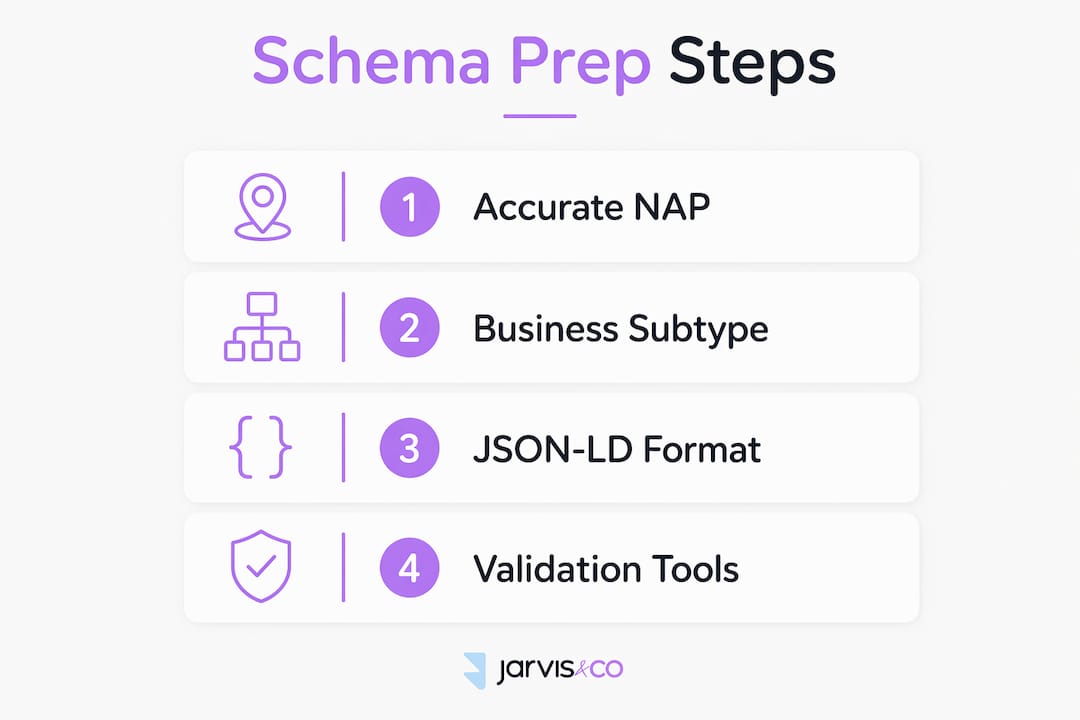
3. JSON-LD format
JSON-LD is Google’s recommended format for schema markup in 2026. It sits in a <script> tag and does not interfere with your page’s visible content. It is easier to deploy and validate than microdata, which requires weaving attributes into your HTML elements.
4. Validation tools
Have Google Rich Results Test and the Schema.org validator bookmarked before you start. You will need both.
| Tool | Purpose |
|---|---|
| Google Rich Results Test | Checks eligibility for rich results and flags errors |
| Schema.org Validator | Validates markup against the Schema.org specification |
| JSON-LD Playground | Tests and previews JSON-LD output in real time |
Pro Tip: Before writing any schema, audit your Google Business Profile and every major citation directory (Yell, Yelp, Thomson Local) to confirm your NAP data is identical across all of them. Schema amplifies consistency. It also amplifies inconsistency.
How do you add local business schema step by step?
The implementation process follows a clear sequence. Work through it in order and you will avoid the majority of common errors.
1. Open a JSON-LD script block
Place this tag in the <head> or <body> of your page:
<script type="application/ld+json">
2. Declare your business type
Start with "@context": "https://schema.org" and "@type": "YourSubtype". Replace YourSubtype with the most specific LocalBusiness subtype that fits your business.
3. Add the four required properties
The four baseline required properties are name, address, telephone, and openingHours. Without all four, your schema yields little or no value for rich results.
4. Structure your address correctly
Never use a plain text string for your address. Structured PostalAddress fields such as streetAddress, addressLocality, postalCode, and addressCountry give search engines reliable geographic data. A plain string like “12 High Street, Bedford MK40 1RH” often fails to parse correctly. The structured version does not.
5. Add geo-coordinates
GeoCoordinates with precise latitude and longitude are among the most impactful fields for local search ranking. Without them, search engines struggle to resolve location-specific queries accurately. Find your exact coordinates using Google Maps and add them as "latitude" and "longitude" values.
6. Specify opening hours
Use openingHoursSpecification as an array of objects. Each object covers a day range, an opening time, and a closing time. This format handles split hours (morning and afternoon sessions) and holiday closures far better than the simpler openingHours string.
7. Close and deploy
Close your script tag and deploy. For WordPress sites, add the script via a plugin that injects code into the head, or use a theme’s custom code field. For static HTML, paste it directly. For headless setups, inject it server-side so it appears in the rendered HTML that Googlebot reads.
Pro Tip: Multi-location businesses need a separate schema block for each location. Do not try to list multiple addresses in one block. Each location page on your website should carry its own JSON-LD with that location’s specific NAP, coordinates, and hours.
| Property | Required or recommended | Example value |
|---|---|---|
| name | Required | “Bedford Boiler Services” |
| address (PostalAddress) | Required | streetAddress, addressLocality, postalCode |
| telephone | Required | “+441234567890” |
| openingHours | Required | “Mo-Fr 08:00-17:00” |
| geo (GeoCoordinates) | Recommended | latitude: 52.1361, longitude: -0.4667 |
| sameAs | Recommended | Google Maps URL, Facebook URL |
What advanced schema features boost local SEO further?
Once your baseline schema is in place, several optional properties can significantly improve your visibility.
AggregateRating and Review markup
AggregateRating and Review markup enables rich star ratings in search results, but only if the reviews are collected on your own domain. Google disallows third-party aggregated reviews inside LocalBusiness schema to prevent manipulation. If you collect reviews on your own website, this is worth implementing. If your reviews only live on Google or Trustpilot, skip this property.
sameAs for authoritative profiles
The sameAs property links your schema to authoritative external profiles: your Google Maps listing, Facebook page, and LinkedIn profile. This reinforces your business identity across the web and helps search engines connect the dots between your various online presences.
areaServed for service-area businesses
Service-area businesses without a physical storefront should omit the address field entirely and use areaServed instead. You can define this with a GeoCircle (a radius from a central point) or an AdministrativeArea (a named region like Bedfordshire). Listing a fake address to appear local is a disqualifying error. Google detects it and removes your eligibility for local pack appearances.
hasMap
The hasMap property accepts a direct URL to your Google Maps listing. It gives users a one-click route to directions and reinforces your location signal.
Special hours and holiday closures
Use the openingHoursSpecification array to handle Christmas closures, bank holidays, and seasonal changes. A single openingHours string cannot express these variations. The array format handles them cleanly.
-
Use
validFromandvalidThroughdate properties to define special hour periods -
Set
opensandclosesto the same value to indicate a closure -
Repeat the pattern for each affected date range
How do you fix common schema errors?
Errors in structured data are common, and most are avoidable. The most frequent problems fall into a short list.
-
Missing required properties. Name, address, telephone, and openingHours must all be present. Any one of them missing and your schema is incomplete.
-
Unstructured address strings. A plain text address fails to parse reliably. Always use the PostalAddress object with explicit fields.
-
NAP mismatches. Your schema address must match your Google Business Profile address character for character. “St” versus “Street” is enough to create a discrepancy.
-
Fake addresses for service-area businesses. This disqualifies you from local pack results. Use
areaServedinstead. -
Incorrect date or time formats. Opening hours must follow ISO 8601 format. “9am” is not valid. “09:00” is.
Validating your schema with both Google Rich Results Test and the Schema.org validator before launch is the single most effective step you can take to prevent indexing errors. Automated validation catches formatting mistakes that are invisible to the human eye but fatal to rich result eligibility.
Run a schema audit at least once a year. Business details change: phone numbers, hours, addresses. Schema that was accurate in january 2025 may be wrong by january 2026. Outdated schema is worse than no schema because it actively misleads search engines.
Pro Tip: Use a reputable JSON-LD generator to build your initial schema block. It reduces the risk of syntax errors and ensures you include all recommended properties from the start. Then validate the output before you deploy it.
Key takeaways
Implementing structured data for businesses correctly is the single most reliable way to improve your eligibility for local rich results and map pack appearances.
| Point | Details |
|---|---|
| Use JSON-LD format | Google recommends JSON-LD exclusively; it is easier to deploy and validate than microdata. |
| Match NAP exactly | Your schema name, address, and phone must be byte-identical to your Google Business Profile. |
| Choose a specific subtype | Pick the most precise LocalBusiness subtype available; generic types send weaker signals. |
| Add geo-coordinates | Latitude and longitude improve location resolution for AI and local search queries. |
| Validate before launch | Use Google Rich Results Test and Schema.org validator to catch errors before they affect indexing. |
Why most Bedford businesses get schema wrong
Working with local businesses across the UK, I see the same mistakes repeated. The most damaging one is not a technical error. It is a strategic one: businesses implement schema once, get it roughly right, and then never touch it again.
Schema is not a one-time task. It is a living record of your business. When you change your hours for the summer, your schema needs to change too. When you move premises, your geo-coordinates need updating. When you add a new phone number, your NAP needs to stay consistent across every platform.
The second most common mistake is choosing the wrong subtype. I have seen Bedford retailers using the generic LocalBusiness type when FurnitureStore or ClothingStore was available. That specificity matters. It tells Google not just that you are a business, but exactly what kind of business you are. That distinction directly affects which queries you appear for.
The third mistake is ignoring geo-coordinates. Many business owners assume their address is enough. It is not. Precise coordinates resolve ambiguity that addresses cannot. Two businesses on the same street can have very different local search performance based on coordinates alone.
Get these three things right: keep your schema current, choose the most specific subtype, and always include geo-coordinates. The technical implementation is the easy part. The discipline of maintaining it is where most businesses fall short.
— Luke
How Jarvisandco can help with your local SEO
Getting schema right takes time, and the details matter. Jarvisandco is a creative design and digital agency with over 15 years of experience helping UK businesses build a stronger online presence.

From website design and local SEO to structured data integration across single and multi-location sites, Jarvisandco handles the technical side so you can focus on running your business. Whether you are a Bedford start-up or an established local brand, the team builds websites that are not just well-designed but built to perform in local search. Get in touch and we will get back to you quickly.
FAQ
What is local business schema?
Local business schema is structured data added to your website that tells search engines your business name, address, phone number, hours, and location. It uses the Schema.org vocabulary and is typically written in JSON-LD format.
Does local business schema directly improve my Google ranking?
Schema markup does not directly boost rankings, but it makes your business eligible for rich results, map pack appearances, and knowledge panels, all of which improve click-through rates and visibility.
What is the difference between LocalBusiness and Organisation schema?
LocalBusiness schema inherits location semantics that Organisation schema does not carry. Using Organisation schema instead of LocalBusiness removes your eligibility for local search features like map packs.
How do I validate my schema markup?
Use Google Rich Results Test and the Schema.org validator. Both are free and flag errors before your schema goes live, reducing the risk of indexing problems.
Should service-area businesses use a physical address in their schema?
No. Service-area businesses without a public-facing premises should omit the address field and use areaServed with a GeoCircle or AdministrativeArea instead. Listing a fake address disqualifies you from local pack results.