Always design and keep your master logo as a vector file. Export raster copies only when a specific platform or vendor requires them. That single rule prevents the vast majority of logo problems designers and business owners run into.
Here is why it matters in practice:
- Scalability. A vector logo scales from a business card to a billboard without losing sharpness. A raster file stretched beyond its original pixel dimensions becomes blurry and unusable.
- Editability. Vector files store shapes and paths, so colours, proportions, and text can be changed at any point. A flattened PNG cannot be meaningfully edited.
- Print compatibility. Printers, embroiderers, and sign-makers almost always request vector input. Supplying the wrong format causes delays and added costs.
Pro Tip: If you are a business owner commissioning a logo, ask your designer to hand over the editable vector master (an AI, SVG, or EPS file) alongside your PNG and JPG exports. If they only send you a PNG, ask again.
Key takeaways
Vector logos are the industry standard because they scale without quality loss, remain fully editable, and support CMYK and Pantone colour for professional print.
| Point | Details |
|---|---|
| Keep the vector master | Store your AI or SVG source file safely; it is the one file you cannot afford to lose. |
| Export rasters for specific uses | Supply PNG for web and digital, JPG for email, EPS or PDF for print and embroidery. |
| Include colour specifications | Always provide Pantone, CMYK, RGB, and hex values alongside your logo files. |
| Vectorising raster logos has limits | Auto-tracing complex or low-resolution artwork rarely produces a usable result; redrawing is usually necessary. |
| Jarvisandco delivers a complete pack | Every logo project includes vector masters, production exports, and a full colour specification sheet. |
Table of Contents
- What is a vector image, and why does it matter for logos?
- What is a raster image, and where does it fit in logo work?
- How do vector and raster files actually differ for logos?
- Logo file formats: which one do you use and when?
- Why vectors are the industry standard for logo design
- Converting between raster and vector: what works and what does not
- What a designer should hand over: the logo file checklist
- Software for creating and editing vector logos
- Common mistakes that cost time and money
- How Jarvisandco delivers logo masters: agency workflow
- Why our studio insists on vector masters for every client
- Get a professional logo pack from Jarvisandco
- Sources
What is a vector image, and why does it matter for logos?
A vector graphic is built from mathematical paths: points, anchor points, and curves calculated by the software rather than stored as a grid of coloured squares. Because the artwork is described mathematically, vector files recalculate at any size and remain perfectly sharp whether you are printing a stamp or a stadium banner.

File size for a simple logo mark is often surprisingly small in vector format. There are no pixel grids to store, only the coordinates and properties of each path.
Common vector formats you will encounter
- AI (Adobe Illustrator native file): the working master for most professional studios. Fully editable, layer-aware, and the format printers and agencies most commonly request.
- EPS (Encapsulated PostScript): a widely supported interchange format accepted by virtually every print supplier and embroiderer.
- SVG (Scalable Vector Graphics): an open, XML-based format that lives natively in web browsers and front-end code. Ideal for responsive websites and digital UI.
- PDF (Portable Document Format): when saved with vector data intact, a PDF preserves paths and is accepted by most commercial printers as a press-ready file.
The three tools you are most likely to use to create or edit these files are Adobe Illustrator (the industry standard for professional vector authoring), Affinity Designer (a capable one-time-purchase alternative), and Inkscape (free and open-source). Inkscape's own documentation notes that vectors store editable objects rather than pixels, making every edit non-destructive.
What is a raster image, and where does it fit in logo work?
A raster image, sometimes called a bitmap, is a grid of pixels. Each pixel carries a fixed colour value, and the total number of pixels determines the image's resolution, measured in pixels per inch (PPI). Photographs and detailed illustrations with subtle shading suit raster formats well because pixel grids can capture tonal complexity that simple paths cannot.
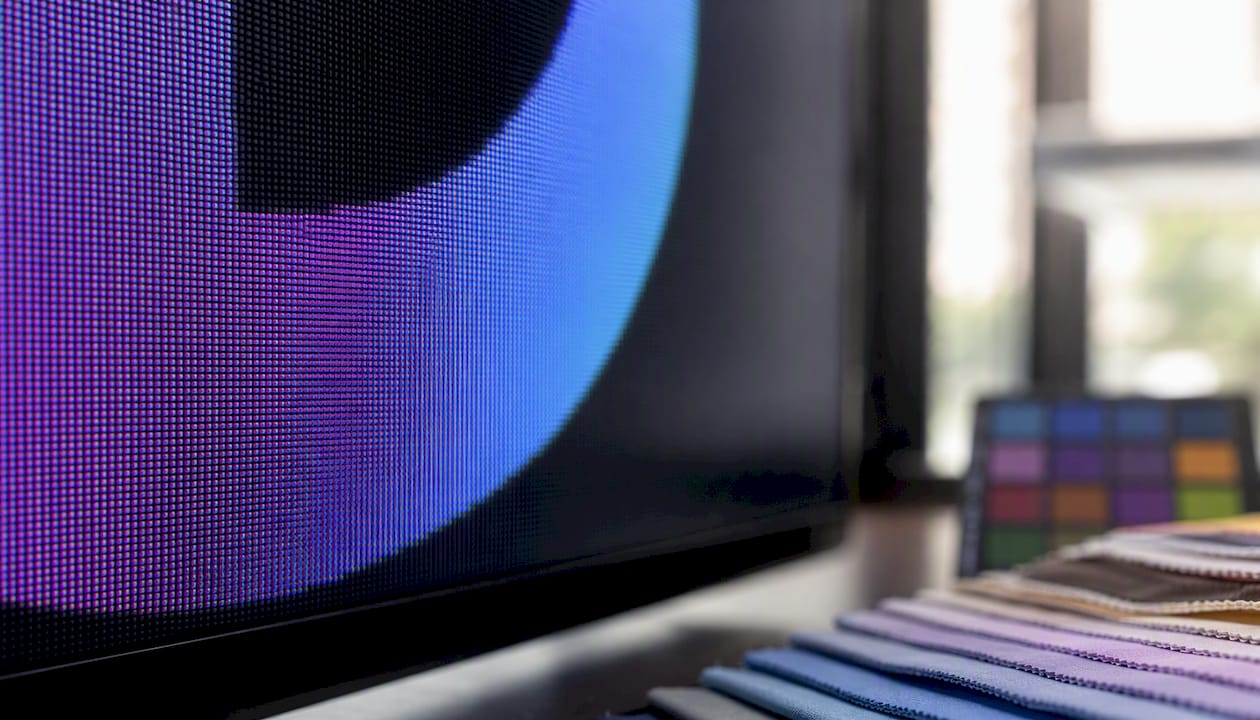
For logos, raster files are exports, not masters. Adobe confirms that raster files degrade when enlarged because the software must invent pixel data that was never there. A 200 px PNG logo stretched to fill a 3-metre banner will look pixelated.
Common raster formats used in logo delivery
- PNG: supports transparency, making it the standard raster export for logos on websites, presentations, and documents. Use PNG whenever you need a logo on a coloured or photographic background.
- JPG: compressed and universally supported, but no transparency channel and prone to compression artefacts around sharp edges. Use for email signatures and social profile images where file size matters more than edge precision.
- TIFF: high-quality, lossless format used in professional print workflows. Larger file size than PNG but preferred by some publishers and photographers.
- GIF: limited to 256 colours and largely outdated for logo use. Occasionally still used for simple animated web graphics.
Pro Tip: Always export PNG with a transparent background (not white). A white background PNG looks fine on a white page but becomes a visible white box on any other colour.
Raster exports are necessary for social media profiles, email clients, and platforms that do not accept SVG. They are not, however, the file you store as your brand's source of truth.
How do vector and raster files actually differ for logos?
The differences become concrete when you think about real production scenarios: a vehicle wrap, an embroidered polo shirt, a tiny browser favicon, and a packaging dieline all demand something different from your logo file.
| Dimension | Vector | Raster |
|---|---|---|
| Scalability | Resolution-independent; sharp at any size | Fixed resolution; degrades when enlarged |
| Editability | Paths and shapes remain fully editable | Pixels are merged; destructive editing only |
| Best uses | Logos, icons, type, illustrations, print | Photos, social avatars, email, web banners |
| Common extensions | AI, EPS, SVG, PDF | PNG, JPG, TIFF, GIF |
| File size | Small for simple artwork | Grows with pixel count and dimensions |
| Print suitability | Supports CMYK and Pantone spot colours natively | RGB by default; CMYK conversion can shift colours |
| Conversion ease | Rasterising is lossless; vectorising complex art is difficult | Cannot be enlarged without quality loss |
How to tell whether a file is vector or raster
If the edges stay crisp, the file is vector (or a very high-resolution raster). If you see a blocky pixel grid, it is raster. A more reliable test: open the file in Adobe Illustrator or Affinity Designer. If you can click individual paths and shapes, it is a true vector. If it opens as a single embedded image, it is raster regardless of the file extension.
A PDF, for example, can contain either vector paths or flattened pixel data, depending on how it was exported. Extension alone is not proof.
Logo file formats: which one do you use and when?
Knowing the format names is one thing. Knowing which to hand over and when is what saves time on press day.
- AI: supply to other designers and agencies who use Adobe Illustrator. This is the working master. Keep it layered and with fonts outlined.
- EPS: the universal print handoff format. Printers, embroiderers, and sign-makers almost always accept EPS. SVG Genie recommends exporting PNG or PDF only when a platform or vendor does not accept the native vector format.
- PDF (vector): accepted by commercial printers as a press-ready file. Confirm with your supplier that the PDF contains live vector paths, not a rasterised image.
- SVG: the right choice for websites, apps, and any front-end code workflow. SVG files are text-based, load quickly, and scale perfectly on every screen size. Treat SVG as your web master.
- PNG: the standard raster export for digital use. Supply at multiple sizes: 512 px for social profiles, 200 px for email signatures, and a 32 px or 64 px version for favicons.
- JPG: use only where transparency is not needed and file size is a priority, such as email headers or social cover images.
- TIFF: include in a print pack when a publisher or photographer requests a high-resolution flat file. Not needed for most everyday handoffs.
For embroidery specifically, print and embroidery vendors commonly request vector input because it simplifies colour separation and stitch digitising. An EPS or AI file with clearly separated colour layers makes their job straightforward. A low-resolution PNG does not.
Why vectors are the industry standard for logo design
Shopify's guide to vector file logos states plainly that vectors are the industry standard for logos because they scale without quality loss and should be treated as the master files for identity work. That is not a preference; it is how professional production works.
Think through the real-world scenarios a single logo must cover:
- Vehicle livery: a van wrap might be 4 metres wide. A vector logo scales to that size without any quality loss.
- Embroidered uniforms: the embroiderer needs clearly separated colour paths to programme the stitch pattern. A blurry JPG is unusable.
- Large display graphics: event backdrops, exhibition stands, and stage graphics often exceed 5 metres. Scalable vector assets are the only practical input for these productions.
- Packaging dielines: a product box requires precise artwork that aligns with cut and fold lines. Vector paths snap to exact coordinates.
- Favicons: a 16 px icon needs a simplified, clean version of the mark. Starting from a vector master lets you redraw it at that scale without fighting pixel noise.
Vectors also preserve brand consistency across print processes. CMYK and Pantone spot colours are specified within the vector file itself, so the same file produces consistent colour whether it goes to a digital press, a screen printer, or a foil embosser.
Pro Tip: Keep a version of your vector master with Pantone colours specified alongside your CMYK and RGB versions. When a supplier asks for a Pantone reference, you will have it ready without needing to go back to your designer.
Converting between raster and vector: what works and what does not
There are two directions of conversion, and they are not equally reliable.
- Rasterising a vector (vector to raster): straightforward and lossless for the chosen output size. Export from Adobe Illustrator, Affinity Designer, or Inkscape at the required pixel dimensions and resolution. The result is a fixed-size raster file. No quality is lost at the export size.
- Vectorising a raster (raster to vector, also called auto-tracing): far less reliable. Adobe Illustrator's Image Trace function and Inkscape's built-in trace tool can convert simple, high-contrast artwork reasonably well. A black logo on a white background with clean edges is a good candidate.
- Complex photographs and textures: automatic tracing of photographic detail, gradients, or noisy scans rarely produces a usable brand mark. Adobe notes that automatic vectorising of complex photographic artwork typically requires significant manual clean-up.
- The practical limit: if your only logo file is a low-resolution JPG, a designer will need to redraw the logo from scratch in Illustrator or Affinity Designer rather than trace it. Auto-trace of a compressed, low-res file produces jagged, unusable paths.
- When to use specialist tools: for reasonably clean raster artwork, dedicated trace utilities can produce better results than the built-in tools. However, for a brand mark that will represent your business across every channel, manual redrawing by a designer is almost always the better investment.
What a designer should hand over: the logo file checklist
A professional logo handover is not just the finished artwork. It is a complete pack that lets you use the logo correctly across every channel, now and in the future.
- AI or SVG master: the fully editable source file, layered and with all fonts outlined. This is the file you store and never delete.
- EPS: for print suppliers, embroiderers, and sign-makers.
- PDF (vector): for press-ready print handoffs.
- SVG: for web and front-end developers. Treat SVG as the web master when brand assets need to integrate with front-end code.
- PNG (transparent background): at a minimum, 512 px, 200 px, and 64 px versions.
- JPG: a flat version for email and social use where transparency is not required.
- Colour specifications: Pantone reference(s), CMYK values, RGB values, and hex codes. All four, not just one.
- Usage guidelines: minimum size, clear space rules, and approved colour variations (full colour, reversed, single colour, black, white).
Pro Tip: Name files clearly: BrandName_Logo_Primary_CMYK.eps, BrandName_Logo_Web_RGB.svg. A clear naming convention means you can find the right file in three seconds rather than three minutes.
Store the editable source file and all exports in a single folder, backed up in at least two locations. Keep dated copies when the logo is updated so you can always return to a previous version.
Software for creating and editing vector logos
Adobe Illustrator remains the industry standard for professional vector logo work. It handles every format listed above, supports Pantone colour libraries natively, and is what most commercial printers and agencies expect to receive. The subscription model means an ongoing monthly cost, but for professional studio work it is the most reliable choice.
Affinity Designer from Serif is a strong alternative at a one-time licence fee. It handles AI, EPS, SVG, and PDF export competently and is widely used by independent designers and smaller studios across the UK. The learning curve from Illustrator is manageable.
Inkscape is free and open-source, making it accessible for designers working with tighter budgets. It works natively with SVG and exports EPS and PDF. The interface is less polished than the commercial options, but the core vector tools are solid for logo work.
For web-focused workflows, Figma and Sketch both export SVG and are common in UI and product design teams. They are not replacements for Illustrator in a print production context, but they are practical for digital-first logo delivery.
Common mistakes that cost time and money
Most logo production problems trace back to a small number of avoidable errors.
- Handing over only a low-resolution PNG. This is the single most common mistake. A 72 PPI PNG cannot be used for print, embroidery, or large-format graphics. Always supply the vector master alongside raster exports.
- Not keeping the editable vector master. If the original AI or SVG file is lost, recreating the logo means starting from scratch. Store it in at least two places.
- Using JPG for logos that need transparency. JPG has no transparency channel. A logo on a coloured background will always carry a white or coloured box around it.
- Incorrect colour mode for print. Sending an RGB file to a CMYK printer produces unpredictable colour shifts. Supply CMYK-specified vector files for all print work.
- Fonts not outlined. If a vector file contains live text and the recipient does not have the same font installed, the type will reflow or substitute. Outline all fonts before handing over any vector file.
- Hairline strokes. Strokes set to 0 pt or very thin values can disappear entirely on press. Check minimum stroke weights against your printer's specifications.
Pro Tip: Before sending any file to a printer or embroiderer, ask them for their file specification sheet. Every supplier has preferred formats, colour modes, and minimum resolution requirements. Matching those from the start avoids reprints.
How Jarvisandco delivers logo masters: agency workflow
At Jarvisandco, the process runs from initial concept through to a complete, production-ready handover pack. Every logo project moves through concept development, vector master creation in Adobe Illustrator (AI and SVG), production exports, and a final client pack with colour specifications and usage guidelines.
The Level Up Fitness brand identity project is a practical example of how this works end to end: a full vector master delivered alongside print-ready EPS files, web SVGs, and a complete colour specification sheet. The client left with everything needed to brief a printer, an embroiderer, or a web developer without coming back to ask for a different format.
Print handoffs follow the same structure. Jarvisandco supplies CMYK-specified vector files to print suppliers and confirms format requirements with each vendor before production begins. For embroidery and large-format work, EPS or AI files with separated colour layers go directly to the production partner. That removes the back-and-forth that delays most print jobs.
Akrivi's guidance on professional logo packages aligns with this approach: vector masters as the source of truth, with a curated set of raster exports for implementation.
Why our studio insists on vector masters for every client
The case for vector masters is not really about file formats. It is about not having to redo work.
Every time a client comes to us with only a PNG logo, the options are limited. We can export a raster at a larger size and accept the quality loss, or we can redraw the logo from scratch. Neither is a good use of anyone's time or budget. A vector master, kept safely from day one, means a rebrand, a new colour variant, or a print run on a different substrate is a matter of hours rather than days.
Non-technical clients often do not know what to ask for. Part of what Jarvisandco does is explain the file pack in plain terms: "Here is the file your printer needs, here is the one for your website, and here is the one to keep safe forever." That conversation, had once at the start of a project, prevents the most common and costly logo problems down the line.
Get a professional logo pack from Jarvisandco
If you need a logo that works across print, web, embroidery, and everything in between, Jarvisandco delivers a complete vector-first logo pack as standard. Every project includes the editable AI master, EPS and PDF for print, SVG for web, PNG exports at common sizes, and a full colour specification sheet with Pantone, CMYK, RGB, and hex values.
You will not need to chase your designer for a different format or explain to a printer why you only have a JPG. Everything comes ready to use. Get in touch with the team at Jarvisandco's logo design service to find out what is included in a full brand identity project, or visit Jarvisandco to see recent work and start a conversation.
Sources
- Raster vs vector comparison - Adobe
- What Is a Vector File Logo? Guide To Vector File Types (2025) - Shopify
- Logo file formats explained: SVG, PNG, EPS - SVG Genie Blog
- Logo file formats explained: Vector vs Raster for print/web | Dr Tee's Design & Screen Printing